
Running a business means privacy compliance sits somewhere near the bottom of a very long list — until a customer asks about their data, a marketplace demands proof, or a peer gets fined and you start to worry. This guide walks you through Dxtra's free privacy scan from the first click to a fixed, provable result. Four stages: scan → understand → fix → prove it.
Before you start
You need one of two things:
- A website (Shopify, WooCommerce, Wix, or your own) — you will run the full scan.
- No website — you sell on Instagram, Etsy, TikTok Shop, Square, or in person. You will take the 30-second quiz instead (Stage 1b below).
You do not need an account, a credit card, or any legal knowledge to see your result.
Stage 1 — Run the free scan
- Go to dxtra.ai.
- Click Free privacy scan.
- Enter your website address (for example,
yourstore.com). - Check the region shown under Scan from — Dxtra detects it automatically (for example, United Kingdom). This matters: cookie banners and trackers can behave differently depending on where a visitor is, so the scan checks from a real location. You can leave it as detected.
- Click Scan now.
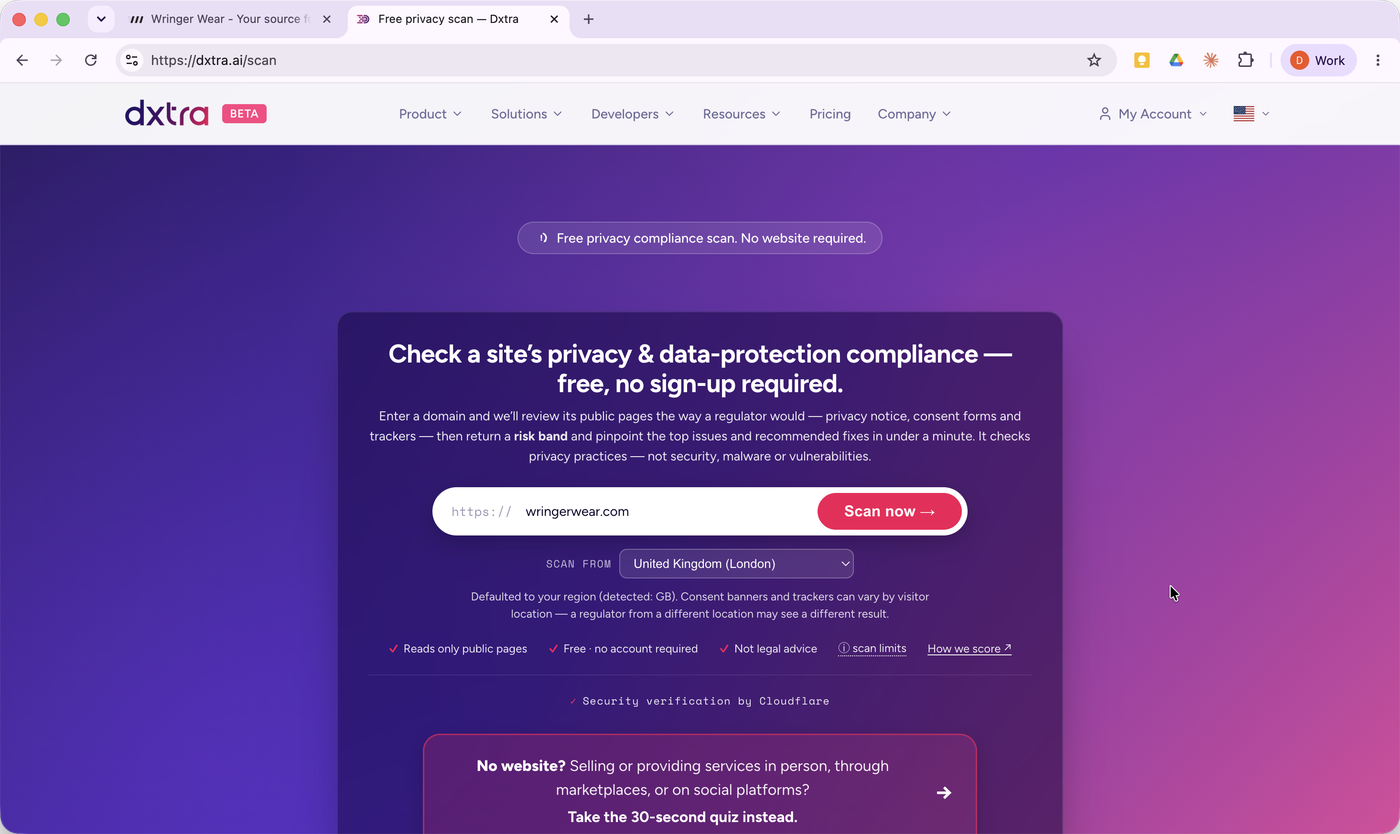
That is the entire setup. No sign-up, no card.
What you will see while it runs
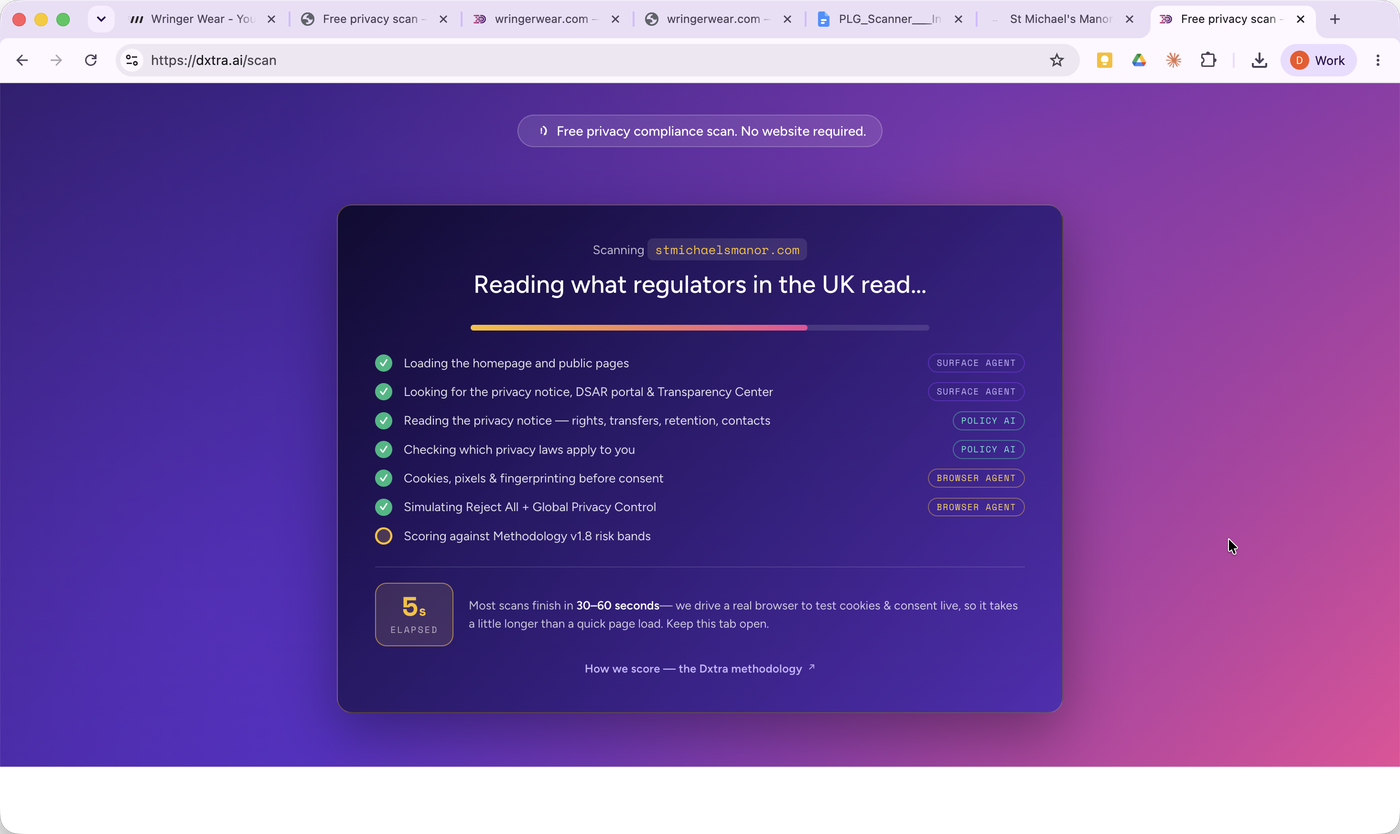
Dxtra reads your site the way a regulator would, live, and shows you each step as it goes: loading your public pages, finding your privacy notice, checking which privacy laws apply to you, and testing whether cookies and trackers fire before consent — including a "Reject All" test. Most scans finish in under a minute. Keep the tab open.
Stage 1b — No website? Take the 30-second quiz
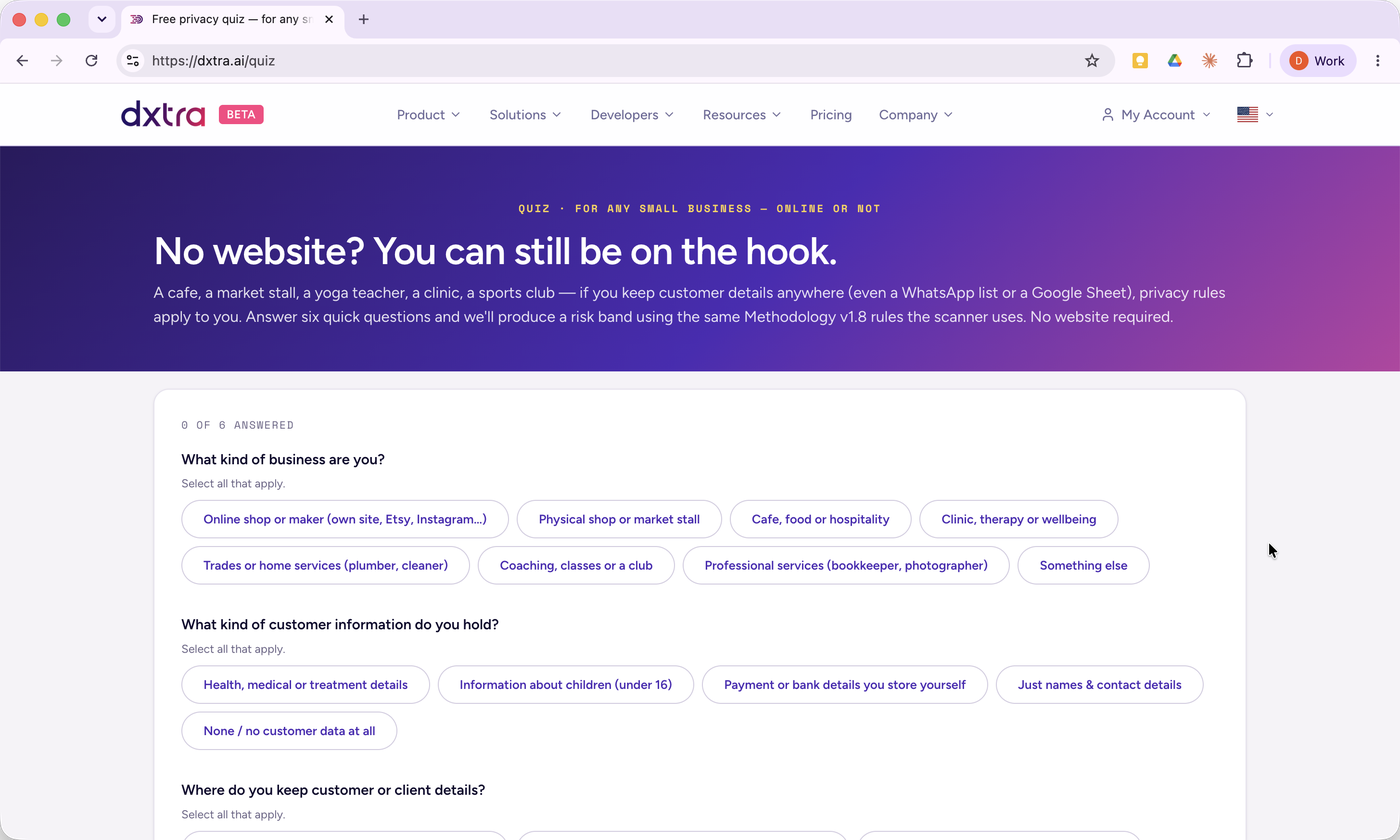
If you do not have a website, click Take the 30-second quiz instead on the same screen. Answer six plain questions about how you sell and what customer information you keep (a mailing list, a loyalty scheme, deposits). Dxtra uses your answers to tell you where you stand — no website required. Then skip to Stage 2; the rest of this guide still applies.
Stage 2 — Read your result (the risk band)
When the scan finishes you get a risk band: Low, Medium, or High. This is the one-line answer to "where do I stand?"
Under the band you will see:
- A short, plain-English summary of what drove the result.
- The number of high- and medium-severity findings the scan can confirm from your public pages.
- A capability-maturity number out of 100 (a progress meter, not a grade) — think of it as how far you are from a strong posture. A High band with a low number (say 22/100) means there is real work to do; that number climbs as you fix things.
- Each top issue paired with the Dxtra feature that fixes it.
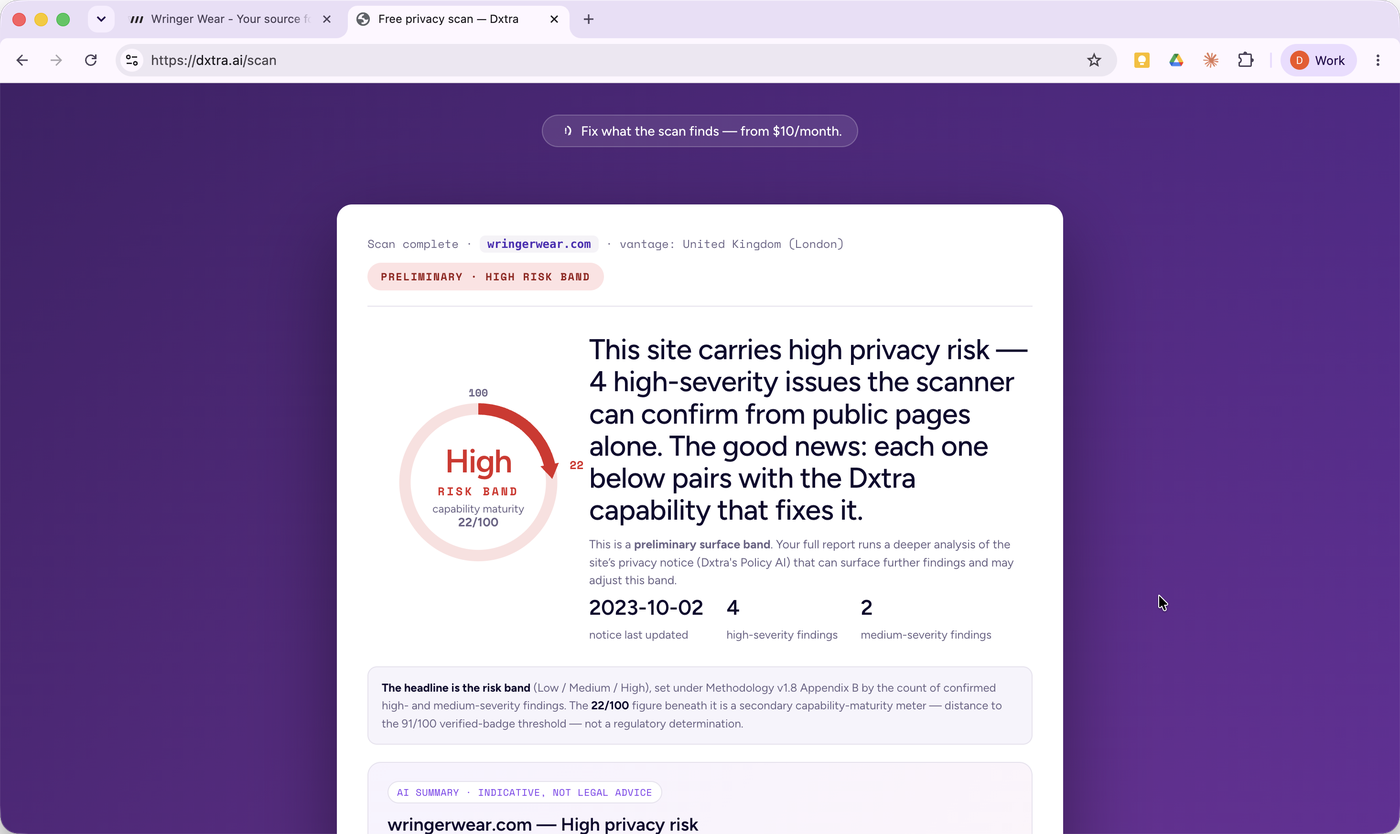
Two things to keep in mind:
- This free result is a preliminary read of your public surface. It is useful, but the full report (Stage 3) goes deeper into your privacy notice and can refine the band.
- A High band is not a judgment of you. Established, reputable businesses score High all the time — usually from ordinary things like trackers loading before consent or a notice that has not been updated in a while. The point is that now you can see it.
Stage 3 — Get your full report
The free result shows you the headline; a fuller report follows by email. The full report gives you every finding, the regulation behind each one, and the exact fix — and it is free too. You just confirm your email so the detailed report can be sent privately to you.
- On your result, click Get the full report.
- Enter your email address.
- Choose your relationship to the site from the dropdown — for most owners, that is "I own or work for this site." (This just routes the right follow-up; consultants, evaluators, and regulators each have their own option.)
- Tick the update box only if you want occasional product news — it is optional and off by default.
- Click Email me the report.
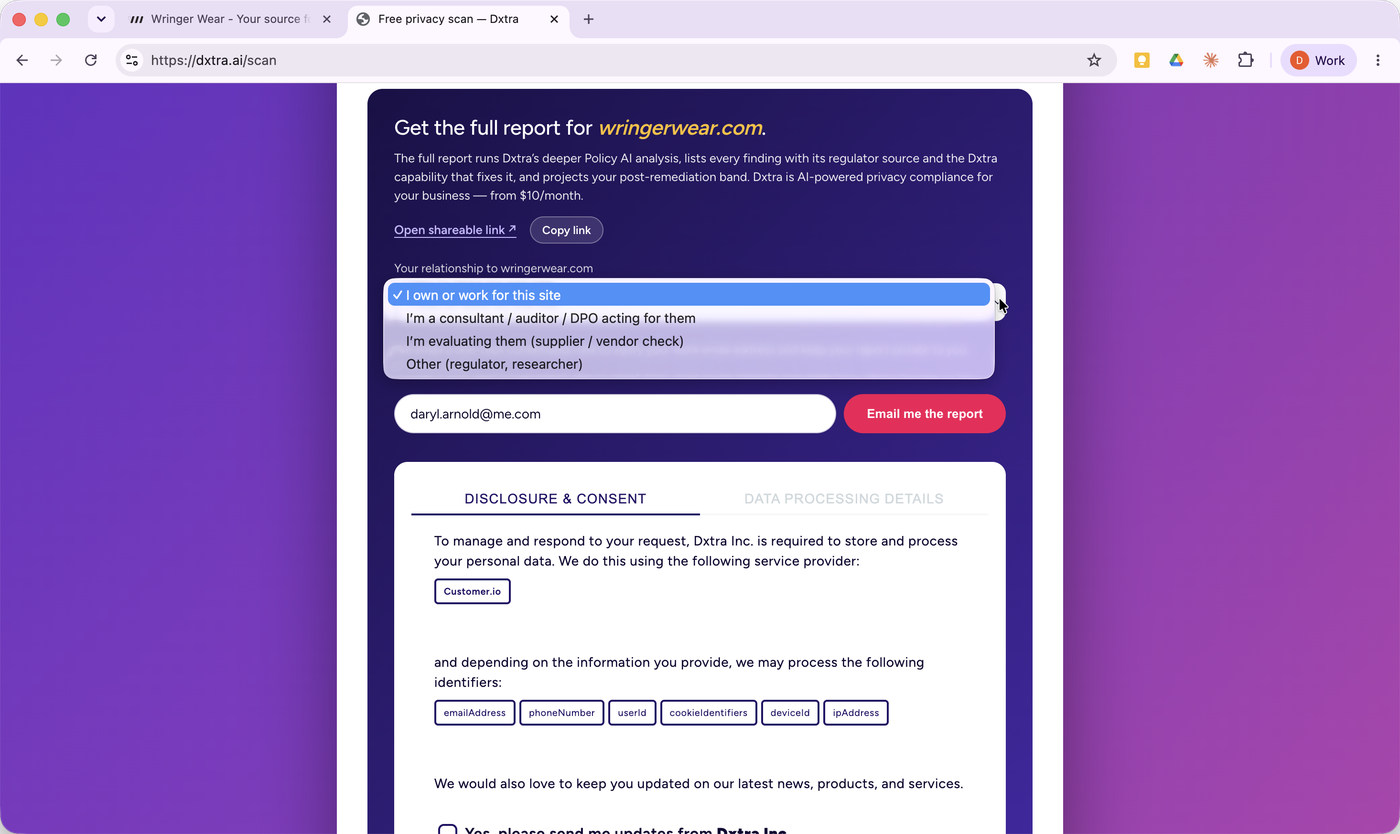
A quick, reassuring detail: at this step Dxtra names exactly who processes your data (Customer.io), lists every identifier it handles, and gives you a Transparency Center link. It practices what it checks for.
Confirm the one-time link
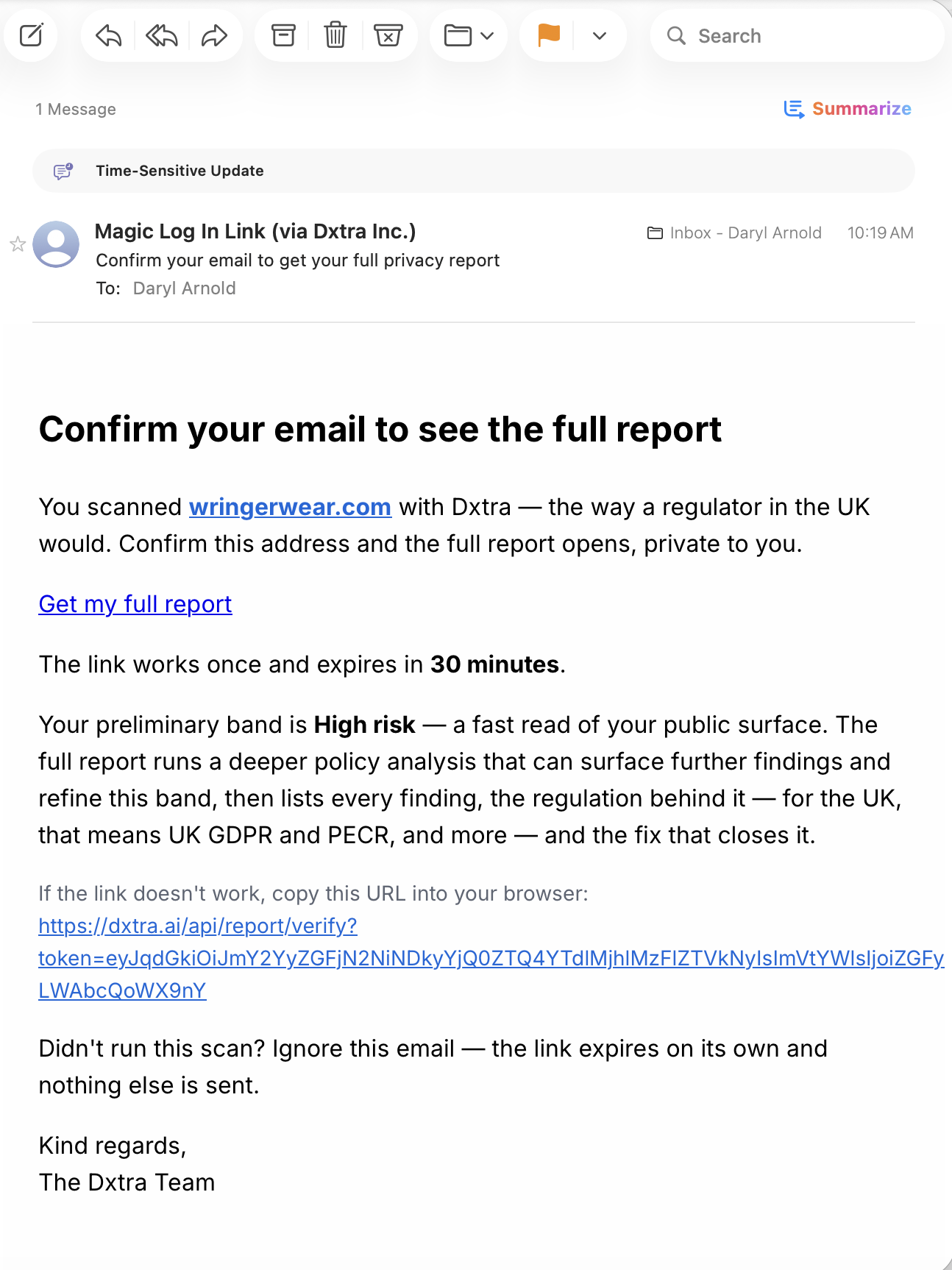
Check your inbox for an email titled "Confirm your email to see the full report." Click Get my full report. The link works once and expires in 30 minutes. If you did not run a scan, you can ignore the email — nothing else happens.
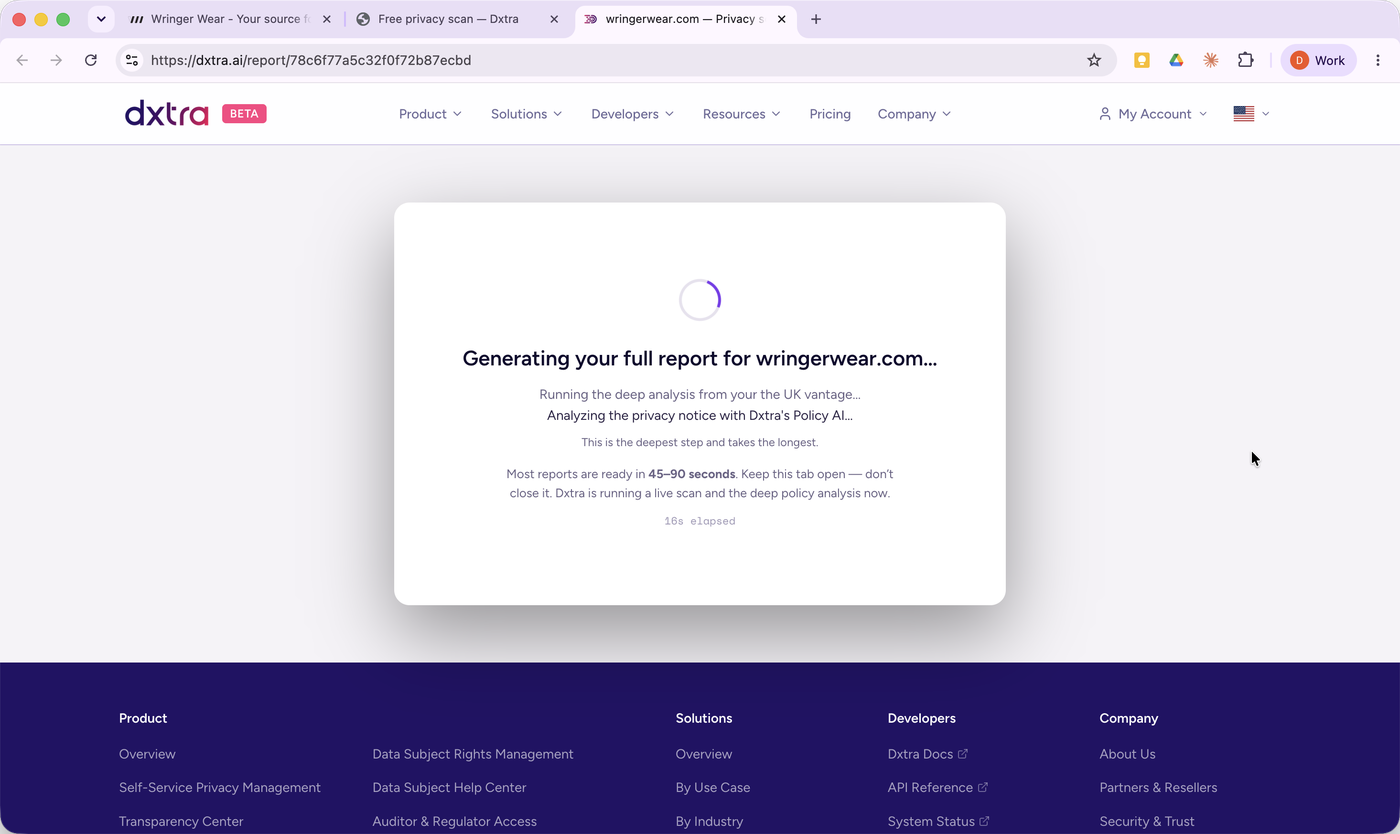
Your full report then generates from a live scan plus a deeper reading of your privacy notice. Keep the tab open while it runs.
Stage 4 — Understand each finding
Your full report lists every finding grouped by area — for example Notices, Policies & Agreements or Tag Management — and for each one it gives you three things:
- What it is, in plain English (for example, "Trackers set before consent" or "Stale privacy notice — 24+ months").
- The regulation behind it, so you know it is real and not invented.
- The fix, and how Dxtra closes it.
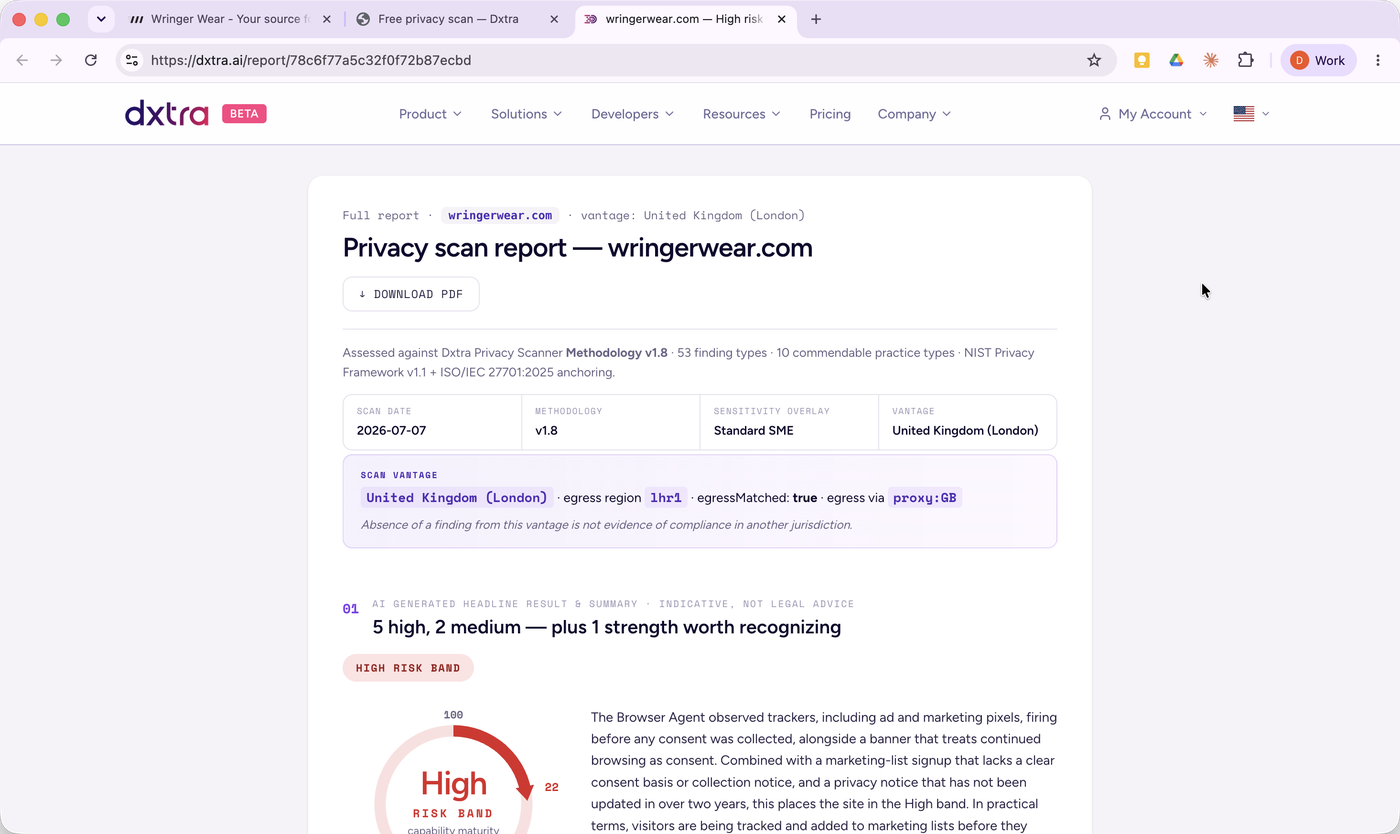
You can download the report as a PDF to keep, or to share with a partner, an accountant, or a customer who asked.
Real example: a store's report came back High — 5 high-severity findings and 2 medium. The findings were the everyday kind: pixels firing before consent, a cookie banner that assumed agreement, a signup with no clear consent basis, and a notice not updated in over two years. Each one had a named regulation and a one-line fix.
What this report is not: it is a diagnostic that tells you where you stand and what to prioritize. It is not legal advice, and it does not say you are "compliant" — no tool can, because that is a regulator's call. What it gives you is a clear, ordered list of what to fix.
Stage 5 — Fix it, in hours not months
Every finding in your report is paired with the Dxtra capability that closes it. To act on them, start a Dxtra plan from $10/month (14-day money-back guarantee, so you can try it against your own site with nothing at risk).
Inside Dxtra you can:
- Update or generate your privacy notice against current law, with a recorded last-updated date.
- Set up consent so non-essential trackers are held until a visitor agrees — and actually stop when they decline.
- Publish a Transparency Center — a public page that names your processors, retention periods, and how people exercise their rights.
- Handle data requests ("show me / delete my data") from one place.
Dxtra generates what is missing and you review everything before it goes live.
The AI assistant walks you through it
Inside Dxtra, an AI assistant turns your report into an ordered setup checklist and steps you through your privacy program one task at a time — you watch your progress (for example, "5 of 6 completed") as each one is done. The core tasks it guides you through:
- Customize your branding — so every notice and page you publish looks like yours.
- Verify your domain and install the tag — the single snippet that powers consent and tag control.
- Publish your privacy notice — generated against current law, with a recorded last-updated date.
- Connect your processors — name who handles data on your behalf.
- Publish your consent form — so marketing sign-ups have a clear, recorded basis.
- Review your data-subject-rights request form — the route people use to see or delete their data.
You work through them in order, at your own pace, and review everything before it goes live.
Tip: work top-down — fix the high-severity findings first. Those are the ones moving your band.
Stage 6 — Re-scan and prove it
Once you have made your fixes, run the scan again. Watch your findings clear and your capability-maturity number climb. A site that started in the High band can move to Low — and you get a privacy-posture card you can show a customer, a marketplace, an enterprise buyer, or a regulator who asks.
That is the whole loop: scan → understand → fix → prove it. It is the difference between hoping you are fine and being able to show it.
Quick reference
- 1. Scan — Enter your domain (or take the quiz) and scan free, at the free privacy scan.
- 2. Read — Note your risk band and top issues, on the on-screen result.
- 3. Report — Confirm your email, then open the full report (email → report page).
- 4. Understand — Read each finding and its fix; download the PDF.
- 5. Fix — Start a plan, close the gaps, review before publishing — Dxtra, from $10/month.
- 6. Prove — Re-scan and share your privacy-posture.
No account. No card. Reads only your public pages. A diagnostic indicator, not legal advice.
Sources
Current as of 15 October 2026. Scan screens, report timing, regulations and Dxtra's plans change; check the linked source before you rely on any of them.
- Scan methodology (Dxtra): the three scan agents, the Low/Medium/High risk band, the 0–100 score as "a progress meter, not a grade", findings cited to named regulator sources, and the scan as a diagnostic indicator, not legal advice
- Scanner methodology (Dxtra docs): the full methodology, linked from the page above
- Regulator reference (Dxtra docs): the register of regulator sources each finding cites
- Free privacy scan (Dxtra): risk band and top issues in under a minute; "Take the 30-second quiz instead" for businesses with no website
- 30-second privacy quiz (Dxtra): six questions and a risk band, no website required
- General Data Protection Regulation, Regulation (EU) 2016/679 (EUR-Lex): EU rules on consent and privacy notices behind findings such as trackers before consent and a stale notice
- Privacy and Electronic Communications Regulations 2003, regulation 6 (legislation.gov.uk): the UK rule on storing or accessing information on a visitor's device (cookies and trackers)
- The right to be informed (ICO): what a UK privacy notice must tell people, in clear and plain language
- Pricing (Dxtra): plans from $10/month; 14-day money-back guarantee on the START plan
This article is general information, not legal advice. The scan is a diagnostic indicator; for a decision that matters, confirm with the data protection regulator where you operate or a qualified adviser.